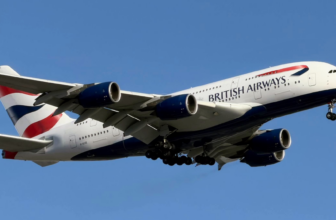


A LoyaltyLobby reader sent us a message about Air Canada crediting flights to Aeroplan instead of United Airlines.

Have a mishap, a loyalty story, or something else travel-related to share? Please send it to us at [email protected] for a possible feature.
You can access United here, and Air Canada here.
Reader’s Message:
would like to share my story with you as it is likely a big problem with Air Canada’s IT systems.
I am trying to complete my United Premier 1K requirements this month. I recently took advantage of an Air Canada business class fare booking class P, which yields up to 1,500 PQP per segment in that class. That roundtrip on AC would have yielded 2,281 PQP and I still have one more flight on United that would push over the 1K finish line.
I booked that fare on aircanada.com and was signed in with Aeroplan number.
As expected, upon check-in last week it defaulted to my Aeroplan number, but at the check-in desk no problem the agent switched my number to my United one. Boarding passes issued all showing UA*G. On the return journey, same thing, went to the AC kiosk and changed my number to UA – all passes showing UA MileagePlus.
I also read Flyertalk and noticed some have also experienced problems with booking tickets with AC then trying to change their FFP to another carrier. Last night I found out to my horror all my AC flights were credited indeed to Aeroplan despite all boarding passes showing United.
I called Aeroplan immediately and they said 6 to 8 weeks for miles to be reversed. Even escalation to a supervisor they told me the same song and dance.
United told me that they may be able to accommodate my 1K status if they do get the miles credited to them eventually, but the agent said they cannot guarantee that?
First, why in the hell does an ERROR on Air Canada’s check-in system take 6 to 8 weeks to fix? This problem is likely widespread.
Second, in 2019 I missed out on 1K qualification by year-end (I thought I would just remain at Platinum) but I did find a flight that did not credit to United so I requested mileage credit for that one, sure enough that flight was good to qualify me as 1K but on united.com I remained Platinum. It took me THREE months of repeated calls to United to allow me to be 1K for 2019. I hope this year will be different and that United will see the retro credit of these AC flights would provide me 1K.
You have to be very careful when logged into an airline app and adding an itinerary, because that itself might change where the flight is credited.
There is undoubtedly an issue with having one frequent flier number printed on the boarding pass and then the airline ending up crediting it to somewhere else, as I experienced with BA:

British Airways Credits Flight To Incorrect Frequent Flier Account
Here’s what the reader needs to do:
- Inform Air Canada Aeroplan that the flight(s) were not supposed to be credited there and have them removed from your account.
- Once the flights are gone, you then need to do a retroclaim with United MileagePlus.
United might take its time, and the reader might have to forward the documentation on what happened and that the miles were removed from Air Canada’s account.
Conclusion
Some frequent flier numbers appear to be stickier than others, and I would advise against using airline apps when logged in if the flights are not intended to be credited to their frequent flier program.
I am close to 100% sure that the reader will be successful with their retroclaim with United for these Air Canada flights if they can get them removed from Aeroplan first.