

Ask any exhibitor what makes a trade show worth the cost of the booth package, and the answer comes down to one thing: how many good leads they walked away with. That number determines whether they rebook next year, and it puts lead capture at the center of your exhibitor and sponsor relationships. If your show still runs on business cards and paper forms, you are leaving both revenue and goodwill on the floor.
This guide walks you through what lead capture is, how it works, what it costs, and how you, as an event organizer, can price and resell it to exhibitors. You will also learn how to select the right Lead Capture tools for your exhibitors, so you can offer more value in your packages. Whether you run corporate events, association conferences, or client shows as a third-party agency, the mechanics are the same. Let’s get scanning.
What Is Exhibitor Lead Capture?
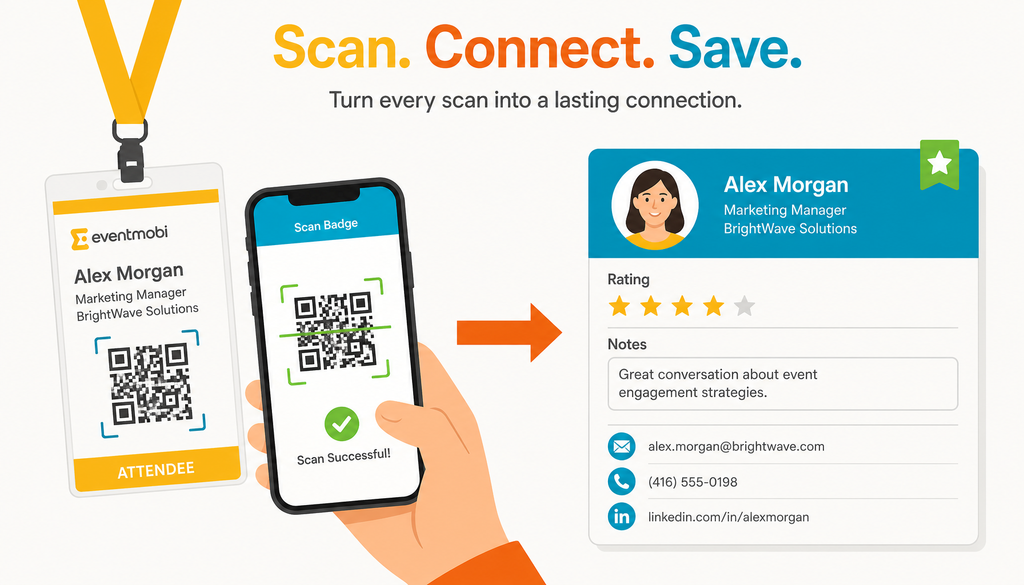
Lead capture is the process of collecting and qualifying contact information from booth visitors at an in-person event, usually by scanning an attendee’s badge or a quick response (QR) code. A “lead” here is a prospect who stopped by a booth and agreed to share their details, along with any notes or ratings the booth staff added about how promising that prospect is. The point is to leave the show with a clean, exportable list with complete contact info and notes, instead of a shoebox of business cards.
So why do exhibitors need a dedicated tool at all? Business cards get lost, handwriting gets misread, and nobody wants to type 300 cards into a spreadsheet the week after a show. A dedicated system captures contact and qualification data in one tap: scan the badge or QR code, add a rating and a few notes, and save the record. When the event ends, exhibitors export the list to a comma-separated values (CSV) file or sync it to their customer relationship management (CRM) system.
It also helps to clear up three terms that get tangled in search results and in sales conversations:
- Lead capture is the on-site act of collecting and qualifying booth visitors during the event
- Event lead retrieval is the same idea described from the exhibitor’s point of view, often used to name the badge-scanning service organizers sell
- Lead generation is what marketers call attracting interest and capturing intent from potential buyers
Get those straight, and the rest of this guide falls into place.
How Does Lead Capture Work?
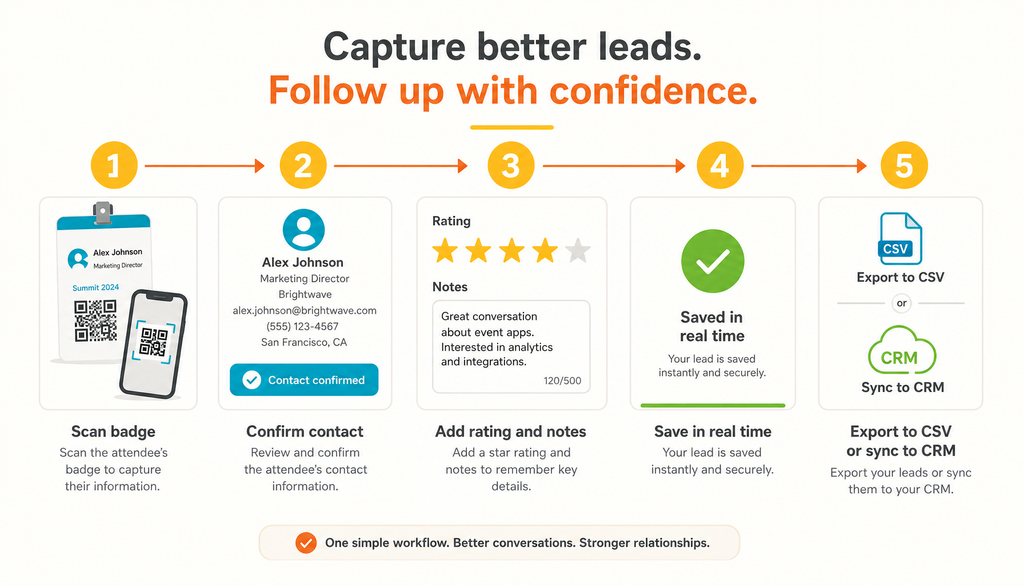
Lead capture works by turning an attendee’s badge into a digital record. A booth rep scans the badge or QR code with a mobile phone or tablet, the attendee’s contact details populate automatically, and the rep adds qualifying data before saving. After the event, exhibitors export those records or push them into a CRM for follow-up.
Most tools capture leads in a few ways. Badge and QR code scanning is the fastest: the camera reads the code and pulls the attendee’s information. Manual entry covers the times a badge is missing or damaged, letting staff type a name and email by hand. Once a lead is in, staff can add qualifying questions such as star ratings, free-text notes, and custom fields like budget, timeline, or product interest.
Here is the step-by-step sequence exhibitor staff follow at the booth:
- Open the lead capture app on a phone or tablet and log in
- Scan the attendee’s badge or QR code, or enter details manually if needed
- Confirm the contact information that populates on screen
- Add a star rating to flag how hot the lead is
- Answer any qualifying questions the company set up ahead of time
- Write quick notes while the conversation is fresh (use voice-to-text in the notes field to speed this up)
- Save the lead, which stores it instantly for the whole team to see
- After the event, export the full list to a CSV file and upload it to their CRM
The value is in the qualification, not just the contact. A name and email are easy enough to collect with external tools. Ratings, notes, and custom fields are what tell a sales team which of 400 scans deserve a call on Monday.
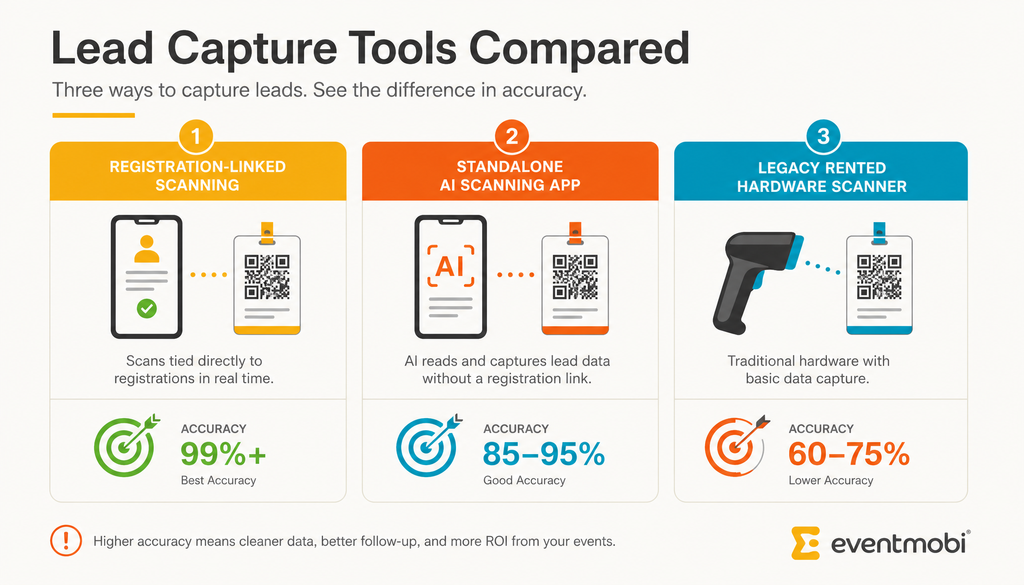
Lead capture tools fall into three broad categories, and each trades off accuracy, cost, and convenience differently, whether marketed as event lead retrieval, badge scanning, or something in between. Understanding the categories helps you judge what your exhibitors are actually getting.
The first is registration-linked scanning. These tools read a QR code tied to the attendee’s real registration record, so the data that populates is the data the person entered when they signed up for the event. Accuracy is high because nothing is guessed.
The second is unofficial third-party scanning apps. These read a badge with a phone camera using OCR (optical character recognition), then run the name and company through an outside data-augmentation tool to guess at the rest, email, phone, title, often without the attendee’s knowledge or consent. They’re often cheap or free upfront, which is the appeal, but the data is frequently incomplete, stale, or simply wrong, and it’s collected outside any agreement the attendee actually made.
The third is legacy rented hardware scanners. These dedicated devices are accurate, but they require renting equipment for each booth and usually deliver a report only after the show. That means no real-time visibility while the event is still running.
Weighing all three, registration-linked lead capture is generally the strongest option for most shows. It matches the accuracy of legacy hardware because it reads a verified registration record, and it offers the speed and self-serve convenience of an unofficial scanning app, without the guesswork, the consent gap, or the data-quality problems that come with one. For organizers who want reliable, defensible data and a smooth exhibitor experience, that combination is hard to beat.
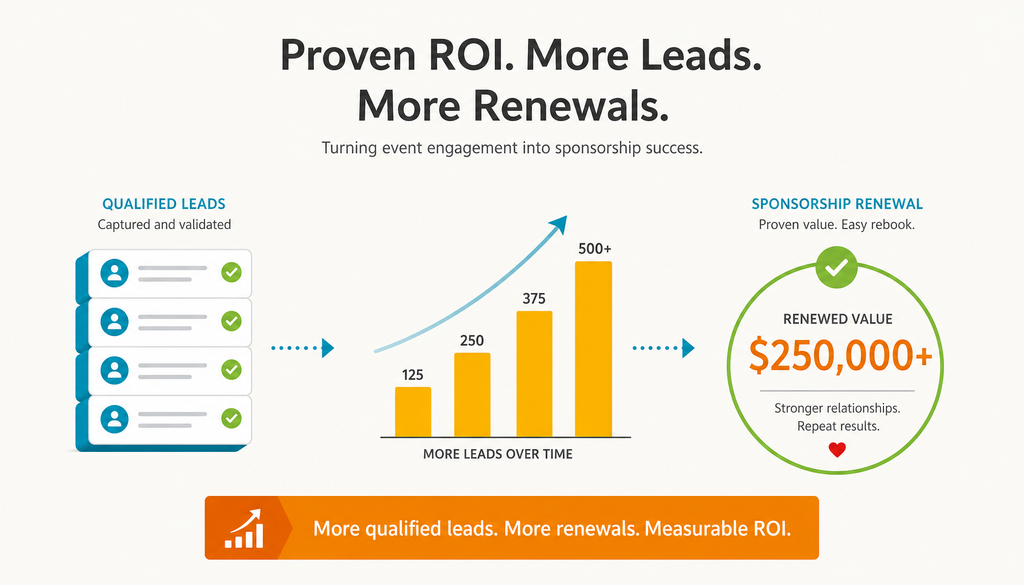
Lead capture matters for sponsorship revenue because exhibitors judge your event almost entirely by the quality and volume of leads they collect. Strong lead numbers make renewal conversations easy. Weak or missing data makes them rely on gut feel, which rarely wins a rebooking.
Exhibitors vote with their budgets. When a company can point to 250 qualified leads from your show, next year’s sponsorship check writes itself. When they cannot measure results, they question whether the booth was worth it. That makes lead data one of the clearest proof points you have when you sell floor space and sponsor packages.
There is a second angle that many organizers miss. Access to the tool isn’t just a perk that keeps exhibitors happy, it’s part of what protects the sponsorship revenue you already have. Roll it into your packages rather than treating it as a freebie, and it becomes one more reason a sponsor renews instead of shopping around next year.
That model only works under one condition. Exhibitors need a real reason to pay you rather than bring their own scanning app. As covered in the tool types above, a registration-linked system gives them data a generic scanner cannot produce, such as verified registration details and event engagement. When your tool is clearly better than the standalone app in their pocket, charging for it makes sense to everyone.
How Much Does Lead Capture Cost?
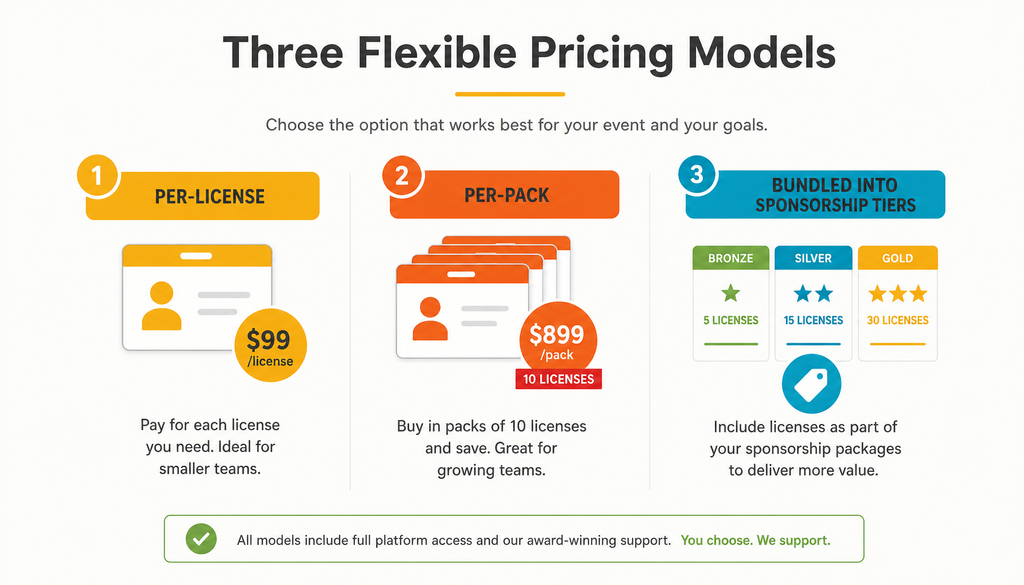
Lead capture pricing usually follows one of three models: per-license, per-pack, or bundled into sponsorship tiers. Costs vary by provider and event size, but the pack model is common because it scales cleanly with the number of exhibiting companies on your floor.
Per-license pricing charges for each company that gets access. Per-pack pricing groups those licenses together, which simplifies buying for shows with dozens of exhibitors. Bundling folds the service into a sponsorship package so the exhibitor pays for it as part of a larger tier rather than as a separate purchase.
For a concrete anchor, EventMobi’s Lead Capture is sold in packs of 10 company licenses at $50 per license, or $500 per pack. One license covers unlimited booth staff for that company, so a business can add as many reps as it needs without paying per person. That per-company approach removes the per-rep math that makes some pricing models hard to predict, and it keeps the cost tied to how many companies you are actually serving.
When you compare options, look past the sticker price to what the price includes. A tool that charges per lead or per user can quietly cost more across a busy show than a flat per-company license, especially for exhibitors who staff their booths with large teams.
How Do Organizers Price and Resell Lead Capture to Exhibitors?
Organizers resell exhibitor lead capture by buying licenses at cost and marking them up as part of sponsor packages. The margin comes from the gap between what you pay per company and what an exhibitor is willing to pay for provable return on investment. Because the underlying cost per company is low, there is room to mark it up several times over and still offer exhibitors clear value.
Start by thinking about margin the way you would with any resold service. You have a per-company cost, and you set a resale price that reflects the convenience and results exhibitors get. Since lead data directly ties to their rebooking decision, most exhibitors treat it as a cost of doing business, not a nice-to-have.
Bundling is where the strategy gets practical. A few ways to package it:
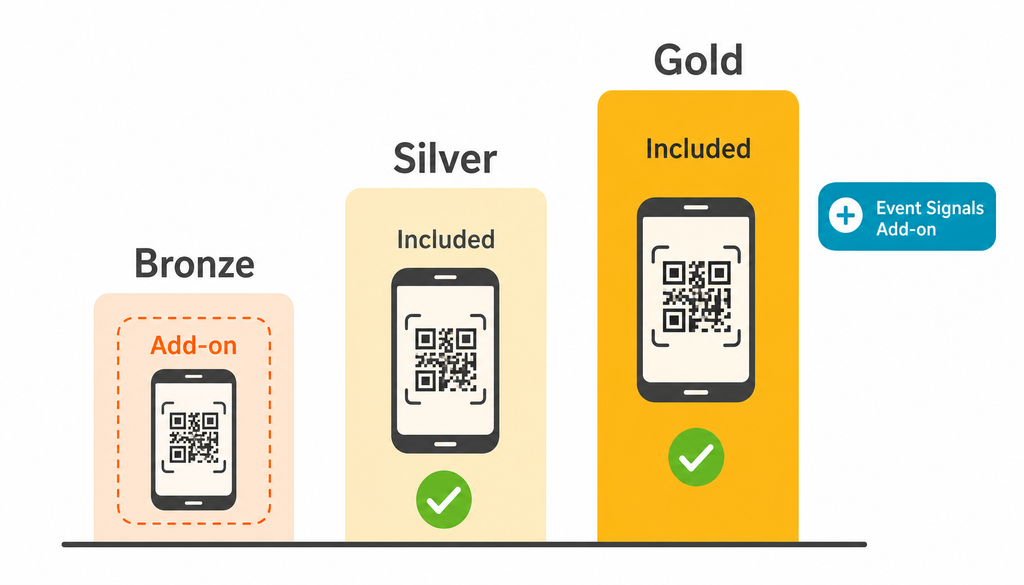
- Include scanning access in mid and top sponsorship tiers, and offer it as a paid add-on for lower tiers
- Tier packages by the number of company licenses or booth reps included, rather than by feature access
- Position the richer, consent-backed data your tool exports as the reason the paid option beats a standalone scanning app
- Price it high and give it away as a perk in top-tier packages, if driving urgency around your premium sponsorship tier matters more than the line-item revenue itself
It also helps to know what exhibitors are used to paying elsewhere. Many have rented hardware scanners or subscribed to standalone apps in the past, so a bundled, self-serve option that produces better data often reads as an upgrade rather than a new expense. Want to see how the numbers could work for your event? Book a demo and walk through the packaging with a specialist.
Two more moves round out a strong reselling strategy. Offer onboarding help, or point exhibitors to EventMobi’s own onboarding support, so every company is set up and scanning before the show floor opens instead of scrambling on day one. And look past the base license for a second revenue line: EventMobi’s Event Signals turn attendee session attendance, engagement, and survey responses into buying-intent cohorts you can add to the standard export or sell as a paid add-on, giving exhibitors audience intelligence no scanning app of any kind can produce.
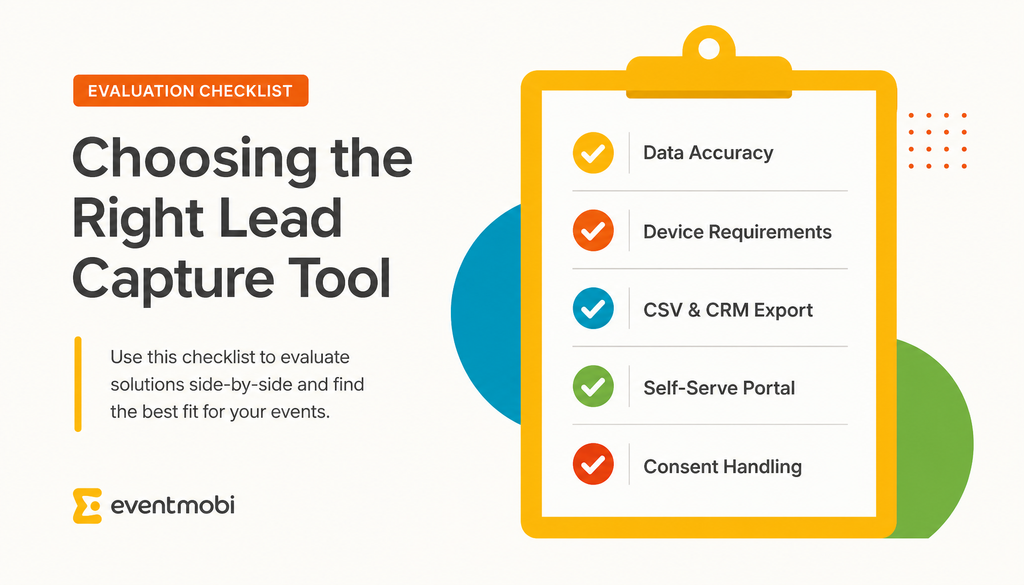
The best lead capture tool for your event is accurate, easy for exhibitors to run without your help, and compatible with how your exhibitors handle their data afterward. Evaluate options against a short set of criteria before you commit, because switching tools mid-season is a headache nobody wants.
Here is what to weigh:
- Data accuracy and source: confirm whether the tool reads verified registration records or guesses details through third-party enrichment, since accuracy shapes exhibitor trust
- Device requirements: favor tools that run on any smartphone or tablet, so exhibitors avoid renting or shipping special hardware
- Export and CRM compatibility: check that leads export cleanly to a CSV file and import into common CRM systems without manual cleanup
- Self-serve versus IT-dependent setup: look for a company portal that lets exhibitors manage their own staff and pull their own exports, rather than routing every request through you
- Consent and data handling: make sure the tool captures attendee consent appropriately and handles personal data in line with your event’s privacy commitments
Score each tool against these points and the right choice tends to stand out quickly. A system that nails accuracy, self-serve setup, and clean exports will save your team hours of on-site support and keep exhibitors focused on selling instead of troubleshooting.
Frequently Asked Questions
Final Thoughts
The exhibitors who rebook are the ones who can prove the show paid off, and lead capture is how they prove it. Treat it as core infrastructure for your event floor, roll it into your packages as the renewal-protecting perk it deserves to be, and choose a tool that gives exhibitors better, consent-backed data than the standalone app in their pocket.
Want to go deeper on packaging and reselling it? Watch the recording of EventMobi’s Inside Job webinar, on what unofficial badge scanning is costing you in trade show revenue and how to fight back.
See how EventMobi makes it easy to package, price, and resell lead capture to your exhibitors →