Why Nursery Monitoring Is Also a Data Question
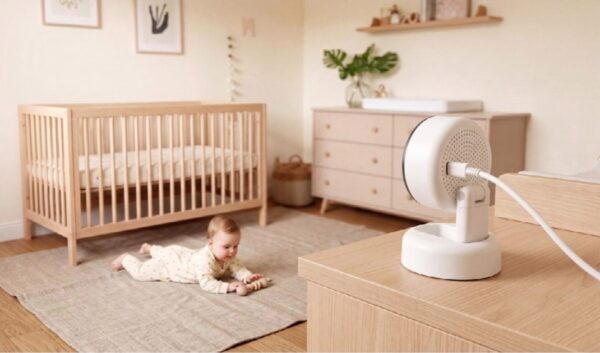
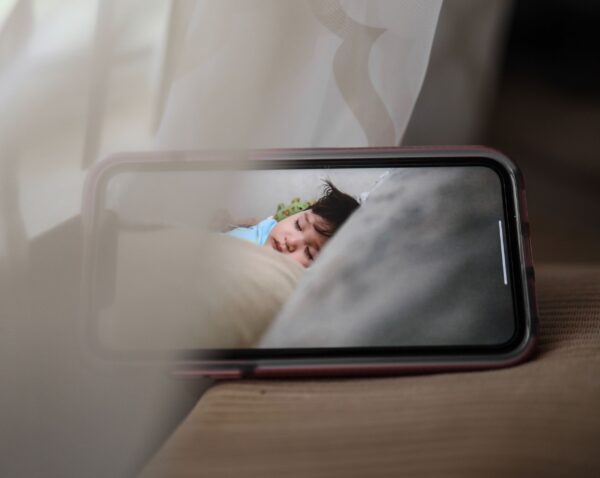
For many parents, opening a baby-monitor app feels no more complicated than checking the weather: tap the screen, see the cot and move on. Behind that simple action, however, a connected monitor may be handling video, audio, alert events, account information and device data. The UK Information Commissioner’s Office (ICO) treats baby monitors as part of the wider consumer Internet of Things, where privacy depends not only on what a device collects but also on where that information travels, why it is used and who can access it.
Following the Data From Camera to Phone
A useful way to understand an app-based monitor is to follow the data path. The camera or sensor first captures information in the nursery. Some processing may happen on the device itself, while other information can move through the home Wi-Fi network to an app service or remote server so parents can view it away from home. That is why baby monitor app functionality is not simply a question of picture quality. Live viewing, push notifications, two-way audio, saved clips and sleep reports can each involve different data flows, and not every feature needs the same level of phone permission.
Cloud and Local Storage Are Different Privacy Choices
For parents comparing a cloud vs local storage baby monitor, the biggest difference is where recordings are retained and who must help protect them. Local storage, such as a microSD card, can keep footage physically closer to home, although the card itself still needs sensible handling and deletion. Cloud storage can make remote access and backup more convenient, but it introduces an online account, a service provider and retention policies into the chain. Neither model is automatically “private” or “unsafe”. More useful questions are whether storage is optional, how long recordings are kept, whether users can delete them, and what protections apply while information is stored and transmitted.
Household Sharing Should Be Deliberate, Not Automatic
App access is particularly useful when two parents, grandparents or a carer need to check the same nursery, but every additional account or shared login expands the circle of access. Separate user invitations are generally preferable to passing one password around, because access can then be reviewed or removed without changing the whole household’s routine. Parents should also distinguish between device permissions and people permissions: allowing an app to send notifications is different from allowing another person to view a live camera. Privacy becomes easier to manage when each person has only the access they actually need.
A Practical Privacy Checklist Before Bed
A good monitor privacy setup can be surprisingly short:
- Use a strong, unique account password and enable two-step verification if it is offered.
- Turn on automatic app and firmware updates where possible.
- Review phone permissions and disable access that is not needed for the features you use.
- Check who has household or family access, and remove accounts that no longer need it.
- Find out whether clips are stored locally, in the cloud, or both, and how they can be deleted.
- Disable remote viewing if your household does not need it.
- Keep the home router protected with a strong password and current software.
These are not niche precautions. The UK’s National Cyber Security Centre recommends strong passwords, two-step verification, prompt software updates and disabling unnecessary remote access for connected home devices. UK security rules for consumer smart products, which came into force in April 2024, have also raised the baseline by addressing easily guessable default passwords and requiring manufacturers to provide information about security-support periods.

Privacy Protection Is an Ongoing Process
Buying a monitor with encryption is useful, but encryption alone does not settle the privacy question. The ICO’s 2026 guidance for consumer IoT products places emphasis on data minimisation, meaningful consent, transparency, secure updates and appropriate authentication throughout a product’s life. In practical terms, parents should revisit settings after major app updates, when a new carer is added, when a phone is replaced or when a monitoring feature is no longer needed. A privacy choice made during first-time setup should not become permanent simply because everyone forgot about it.
What This Looks Like in a Current Smart Monitor
The Momcozy Contact-Free Smart Baby Monitor (BM08) offers a useful example of how privacy-related choices can appear in an app-connected nursery device. From a data-management perspective, the relevant features are its AES-128 encryption, physical privacy shutter, and support for both local microSD and cloud storage. These give parents several points of control over how nursery information is transmitted, when the camera is physically blocked, and where recorded footage is retained.
As with any connected monitor, however, those protections work best when users understand and manage the settings around them. Parents still need to decide whether cloud storage is necessary, review who has access to the account, check app permissions and remove stored footage or shared access when it is no longer needed. In that sense, the BM08 illustrates a broader point: privacy depends not only on security features built into the device, but also on the choices made during everyday use.
The Best Smart Setup Is the One You Understand
The point of a connected baby monitor is to make checking in easier, not to turn parents into cybersecurity specialists. Still, a few minutes spent understanding the data flow can make a meaningful difference. Know what leaves the nursery, know who can see it, choose storage deliberately, keep software current and remove permissions that no longer serve a purpose. In a smart home, privacy is less about finding one perfect setting and more about keeping control of the small settings that quietly shape everyday family life.